
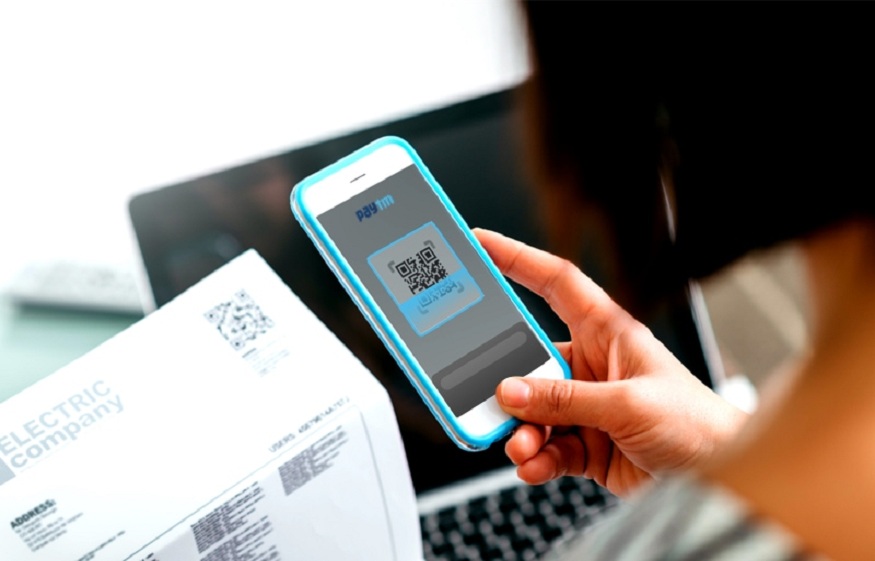
The shift toward digital transactions has made managing household expenses much easier. Most people now prefer to handle their electric bill payment through a website or mobile app rather than visiting a physical office. This convenience allows for quick processing and instant confirmation from the comfort of your home.
However, the process is not always seamless. It can be incredibly frustrating to receive a payment failed notification after you thought the task was finished. Understanding why these interruptions happen is the first step toward ensuring your monthly obligations are met without stress.
Common Technical Glitches in Online Bill Payment
Technology is reliable until it is not. Sometimes the platform used for your online bill payment might experience a sudden surge in traffic. This often happens near the end of the month when many users are trying to settle their accounts simultaneously. When the server becomes overwhelmed, it may drop your connection or fail to process the transaction request.
Read More: Top Strategies for Tax Planning with the Best Consultants in the USA
Browser compatibility is another silent culprit. If you are using an outdated version of a web browser, it might not support the latest security protocols required by payment gateways. This mismatch can lead to a broken link or a page that refuses to load correctly. Keeping your software updated is a simple way to avoid these invisible hurdles.
Banking and Security Authentication Barriers
Security is a top priority for financial institutions. Sometimes a legitimate electric bill payment is flagged as suspicious by your bank. This usually happens if the payment amount is significantly higher than your usual spending or if you are paying from a new location. The bank might block the transaction to protect your funds from potential fraud.
Another common issue involves two-factor authentication. Many systems now require a one-time password sent to your phone or email. If there is a delay in receiving this code, the payment session might time out. If you enter the code incorrectly or too late, the system will automatically reject the attempt for security reasons.
Data Entry Errors and Account Mismatches
Human error remains one of the most frequent reasons for a failed online bill payment. A single digit typed incorrectly in your account number or a typo in your credit card details can stop the process immediately. Even if the numbers are correct, an expired card or an incorrect security code will trigger a rejection from the payment processor.
It is also important to ensure that the name on your utility account matches the name on your payment method. Some systems have strict verification rules that compare the billing address of the card with the address on file. If you have recently moved or changed your details without updating your bank, the transaction might not go through.
Network Connectivity and Session Timeouts
A stable internet connection is the backbone of any digital transaction. If your connection signal drops for even a second during the final stages of a transaction, the data packet might not reach the server. This leaves the payment in a state of limbo where the money might be deducted from your bank but not credited to your utility account.
Mobile data can be even more unpredictable. If you are trying to complete an electric bill payment while moving between cell towers, the handover can cause a brief interruption. Most payment portals have a strict timeout limit for security. If the page takes too long to respond due to a slow connection, the session will expire and you will have to start the process over from the beginning.
How to Ensure a Successful Electric Bill Payment Every Time
To avoid the headache of a failed transaction, always double-check your information before clicking the submit button. Take a few extra seconds to verify the account number and the payment amount. It is also wise to perform these tasks during off-peak hours when the servers are less likely to be congested.
Using a saved payment method can also reduce the risk of errors. Most platforms allow you to securely store your card details. This eliminates the need to type in long strings of numbers every month. Additionally, ensure you are using a private and secure internet connection. Public networks are often too unstable and less secure for handling sensitive financial data.
Steps to Take When a Payment Fails
If you encounter a failure, do not immediately try to pay again. First, check your bank statement or mobile banking app to see if the funds were actually deducted. Sometimes a payment shows as failed on the website but the bank has already authorized the charge. Making a second attempt right away could lead to a double payment.
If the money was taken but the bill still shows as unpaid, wait for a few hours. Digital systems often sync in batches. If the status does not update, contact the customer support team with your transaction reference number. They can usually track the payment and manually apply it to your account once they verify the receipt of funds.
Maintaining a Smooth Digital Experience
Digital payments are designed to save time and reduce the effort of manual chores. While technical issues can occur, they are usually easy to navigate with a bit of patience and preparation. By staying aware of common pitfalls, you can ensure that your monthly responsibilities are handled efficiently.
Read More: How Mobile on EMI Plans Fit Within Wider Electronics on EMI Options
Consistency is key to a stress-free experience. Setting up reminders a few days before the due date gives you a buffer to resolve any unexpected issues. With a reliable connection and accurate data, your online bill payment will become a quick and routine part of your monthly schedule. Keeping your records organized will also help you spot discrepancies early. When you approach the process with care, you can enjoy the full benefits of modern financial technology.